
This additional option blocks for a role the “Code” tab in the WordPress text editor.
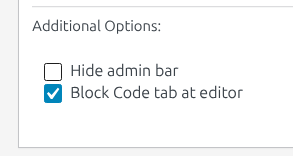
The next piece of code adds for all existing user roles at the bottom of URE page the additional option “Block Code tab at editor”:
// Add option "Block Code tab at editor" for user role at URE
add_filter( 'ure_role_additional_options', 'add_block_code_tab_at_editor_option', 10, 1 );

function add_block_code_tab_at_editor_option( $items ) {
    $item = URE_Role_Additional_Options::create_item( 'add_block_code_tab_at_editor_option', esc_html__('Block Code tab at editor', 'user-role-editor'), 'wp_editor_settings', 'block_code_tab_at_editor' );
    $items[$item->id] = $item;

    return $items;
}

function block_code_tab_at_editor( $settings ) {

    // Block "Code" tab in text editor
    $settings['quicktags'] = false;
    // Block "Code editor" menu item in the Gutenberg options list
    add_filter('block_editor_settings_all',
        static function (array $settings): array {
            $settings['codeEditingEnabled'] = false;
            return $settings;
        }
            );

    return $settings;
}
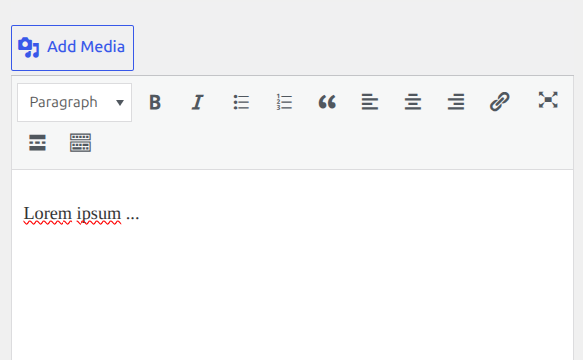
If this option is turned ON for some user role, user with such role sees only ‘Visual’ tab content in the WordPress text editor, like it is shown above.
